
Heat Map
Turn your video data into actionable insights with IncoreSoft’s Heat Map module. Instantly visualize traffic flow, dwell time, and zone popularity across any time period—and make smarter layout and promotion decisions with ease.
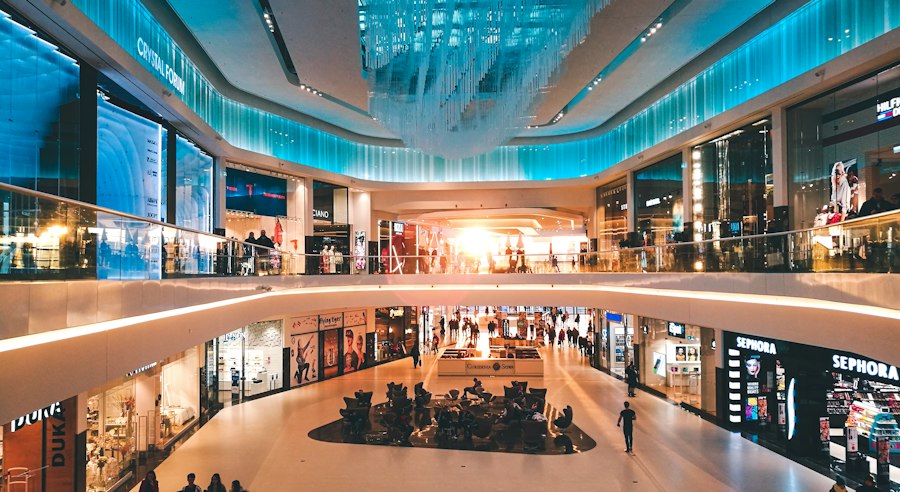
Key Advantages of the Heat Map Module
Identify warm and cold zones - instantly spot high-traffic and low-traffic areas to optimize store layout and engagement
Measure ad and promo impact - visualize how customers interact with banners, ads, and displays in real time
Optimize product placement - position high-margin items in hot zones to maximize sales
Improve layout and customer flow - analyze movement patterns to remove bottlenecks and enhance shopping experience
Generate detailed reports - access performance data by hour, day, or week to make data-driven decisions
Cross-platform and multilingual - operate seamlessly across devices and languages for global retail environments
Enhance staff allocation - schedule employees around hot-zone activity to improve efficiency and service
Integrate with Incoresoft modules - combine Heat Map with People Counting or Traffic Analytics for deeper insights
How It Works
Capture
CCTV cameras stream live video into the analytics engine. Deployments often run on existing networks, avoiding the need for extra hardware.
Measure
The algorithm detects human presence, measures dwell times and counts detections within control zones. After conducting experiments with it, you can see how intensity changes by hour or day.
Visualize & Report
A heatmap layer is generated (static or kinetic), with reporting windows you choose - hourly, daily, weekly, or custom. We have found from using this product that the visualizations are the fastest way managers can spot problems and opportunities.
Works With Your Existing Stack
Deploy alongside your current cameras, hardware, and VMS - no forklift upgrade required.
IP Cameras
Any ONVIF / RTSP stream
VMS Platforms
Native plugin & SDK support
Edge Hardware
GPU-accelerated inference
What is a retail heat map and how does it help?
Imagine sprinkling a thermal powder across a store floor: red where people gather, blue where they don’t. That’s a heat map - a visual summary of visitor density and movement. Instead of spreadsheets, you get intuitive, instant insights: which displays work, where bottlenecks form, and how foot traffic changes during promotions.
Core business benefits
- Optimize product placement - move high-margin items into warm zones.
- Measure ad & promo impact - did that endcap really pull customers?
- Staff smarter - place associates where customers need help, not where they don’t.
Prove ROI for store changes - remodels and campaigns become measurable.
Metrics you should track with heat map module
Practical tips: What to measure and what actions to take
1. Measure dwell and path, not just headcount
Counting people is useful - but retail heat mapping shines when you combine counts with dwell and path analysis. After conducting experiments with it, teams often find that dwell time correlates more closely with conversion than raw footfall.
2. Use A/B testing for layouts and promotions
Try moving a promo display for two weeks and compare heat maps. Our analysis of this product revealed that small shifts can produce outsized returns (think better visibility, better flow).
3. Blend heatmap data with POS
Heat maps tell you where customers are - POS tells you what they buy. Put them together and you can quantify a display’s ROI.
4. Don’t ignore “cold” zones
Cold zones are opportunities - move seasonal items there, run micros-promos, or re-think signage. Through our practical knowledge, reassigning a cold shelf to a clear visibility spot often revives sales.
Directions
Safe City
Monitor crowds and detect unusual movements to enhance urban safety.
Retail
Analyze visitor flow to optimize product placement and boost sales.
Industry
Track employee movement to improve safety and workflow efficiency.
Education
Manage student flow and optimize campus safety and layouts.
Public Transportation
Identify congestion zones to enhance service planning and security.
Private Property
Detect unusual activity and strengthen security across properties.
Why Choose Incoresoft for Heat Map Solutions
Incoresoft delivers advanced AI-powered heat map analytics that turn CCTV footage into actionable business insights. Our technology helps you track visitor flow, optimize layouts, and boost performance - all in real time.
- Proven Expertise: Years of experience in AI and video analytics for retail, industry, and smart cities.
- Easy Integration: Works seamlessly with existing CCTV and VMS systems.
- Real-Time Insights: Monitor customer foot traffic and adjust your strategy instantly.
- Data-Driven Optimization: Improve product placement and understand visitor behavior.
- Scalable Solution: Ideal for retail chains, public areas, and industrial facilities.
- Detailed Reports: Generate analytics by hour, day, or week for deeper insights.
- Reliable Support: Our team provides continuous updates and professional assistance.
Frequently Asked Questions
Ready to Get Started?
Fill in the form and our team will get back to you shortly.