
How to Choose Video Management Software: An Integrator's Checklist
Most VMS platforms look the same in a demo. A practical checklist for integrators: camera compatibility, scale, analytics, security, operator workflow and deployment.
Most video management software looks the same in a sales demo: a grid of live cameras, a timeline, a few alerts. The differences show up later, when the system has to absorb a mixed camera fleet, a second site, a new analytics module and an auditor asking who exported which recording. This guide is a checklist for integrators and security managers who need to choose a VMS that will still fit the project in five years.
What video management software has to do
A video management system (VMS) connects IP cameras, records their streams, stores the archive under a retention policy and gives operators live view, playback and alarms in one interface. A modern VMS also has to receive events from video analytics, on the server or on the camera itself, and turn them into alerts the operator can act on.
That definition sounds simple. The hard part is everything around it: how many cameras one server holds, how the system grows, who is allowed to see what, and how much of the existing infrastructure you can keep.
1. Camera compatibility: ONVIF is the floor, not the ceiling
Very few projects start from zero. A city control room or an industrial site usually has cameras from several manufacturers, bought over many years. Check two things:
- ONVIF and RTSP support for generic connection of almost any IP camera. If you need a refresher on stream addresses, see our guide to RTSP.
- Native drivers for the brands already installed. Native drivers usually give more than ONVIF alone: event types, PTZ presets, I/O and edge analytics metadata.
Ask the vendor for the driver list and test your two or three most common camera models in a pilot before you sign. Incoresoft VMS, for example, connects via ONVIF and RTSP and has vendor drivers for Axis, Bosch, Dahua, Hanwha Vision, Hikvision, Vivotek, Uniview and Milesight.
2. Architecture and scale: how the system grows
A VMS that runs well with 50 cameras can struggle at 500. Look at the architecture, not the marketing maximum:
- Distributed recording servers. Can you add recording servers per site or per building, with their own storage and retention, and manage them from one admin centre?
- Central monitoring. With many servers, you need one place that shows CPU, memory, disk and GPU load, sends alerts on hardware problems and schedules backups.
- Load figures with conditions. A camera count per server means nothing without resolution, frame rate, bitrate, whether analytics runs on the same machine and how loaded the CPU was.
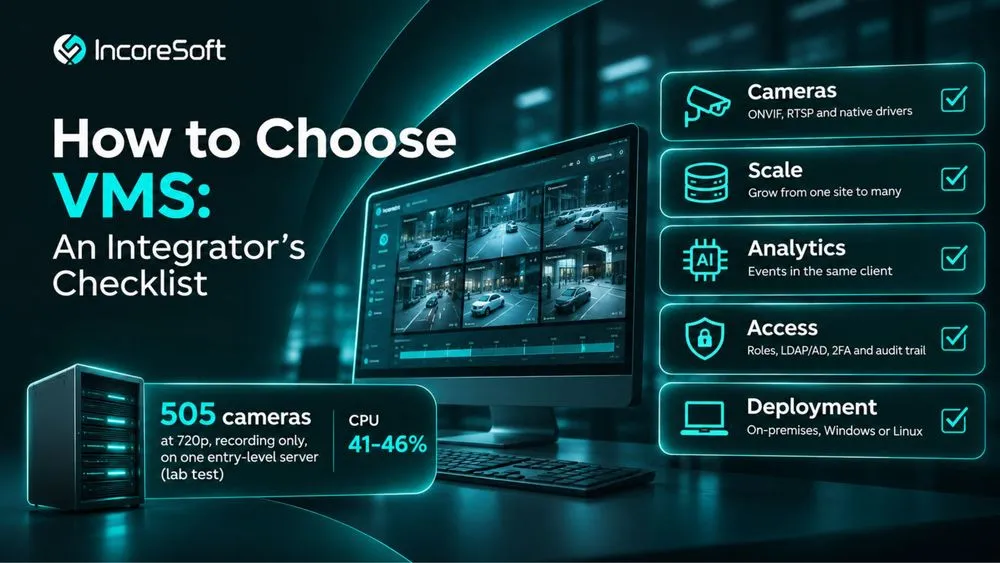
As an example of a figure with its conditions: in a lab load test, Incoresoft VMS recorded 505 cameras at 720p on one entry-level server, recording only and without analytics, with each Recording Server at about 41–46% CPU. Ask every vendor on your shortlist for numbers in the same format, then size your own servers with a margin.
3. Analytics: where it runs and where alerts land
Analytics is now part of almost every tender: license plate recognition at entrances, face recognition at controlled points, intrusion and safety rules on perimeters. The questions to ask:
- Is analytics native to the VMS or bolted on? Native integration means events, snapshots and video clips arrive in the same client and the same event log.
- Can it use edge analytics? Many sites already have cameras that run analytics on board. A VMS that receives these events lets you use them without a second server. Incoresoft VMS receives analytics events from Axis (ACAP) and Hanwha Vision (Open Platform) cameras.
- What if the customer keeps their current VMS? Then the analytics should run inside that platform. VEZHA® works inside Milestone XProtect, Nx Witness and Axis Camera Station Pro, so the choice of analytics does not force a change of VMS.
Our article on integrating AI video analytics with existing CCTV covers this step in more detail, and the 104-camera facility case shows how 39 analytics channels run in one system.
4. Security and access control
A VMS stores some of the most sensitive data an organisation has. Treat it like any other critical IT system:
- Role-based access with custom roles, so a guard, a shift supervisor and an investigator see different cameras and actions.
- LDAP / Active Directory integration, so accounts are created and removed with the rest of the IT estate.
- Two-factor authentication for every user, not only administrators.
- An audit trail of user and system actions, available to the security officer without vendor help.
- Vendor processes. Ask about the vendor's own certifications. IncoreSoft is certified to ISO/IEC 27001:2022 and ISO 22301:2019.
5. Operator workflow: what the night shift actually uses
Features in a datasheet are not the same as an operator's working day. Sit an operator in front of the pilot for an hour and check:
- Layouts and interactive maps with camera and alarm zones.
- A timeline that stays fast with many bookmarks and events.
- Alarm rules with automatic actions: email, webhook or messenger notifications.
- PTZ control with presets.
- Access from a web client, a desktop client and a mobile app for supervisors on the move. Incoresoft VMS has mobile apps for iOS and Android with live view and playback.
6. Deployment, licensing and total cost
The licence price is only the first line of the budget. Check:
- Where it runs. On-premises deployment on Windows or Linux matters for government and critical sites that keep data in their own data centre. Incoresoft VMS runs on Windows 10/11 Pro, Windows Server 2019/2022 and Ubuntu 24.04 LTS, and installation does not require an internet connection.
- What the licence includes. Some vendors split features into editions and add-ons. An all-inclusive model is easier to budget: Incoresoft VMS uses a transparent all-inclusive licensing model, with no feature editions to compare.
- Upgrades and API. A documented REST API and a clear upgrade path protect the integrator's custom work.
A short VMS checklist for your tender
| Area | What to ask for |
|---|---|
| Cameras | ONVIF, RTSP and native drivers for the installed brands; pilot with your models |
| Scale | Distributed recording servers, central monitoring, load figures with conditions |
| Analytics | Native events in the client, edge analytics, option to run inside the existing VMS |
| Security | Roles, LDAP / AD, two-factor login, audit trail, vendor certifications |
| Operators | Maps, fast timeline, alarm rules, PTZ, web, desktop and mobile clients |
| Deployment | On-premises, Windows and Linux, licence scope, REST API, upgrade path |
Frequently asked questions
What is the difference between a VMS and an NVR?
An NVR is usually a single appliance that records a limited number of cameras. A VMS is software that runs on standard servers, scales across many recording servers and sites, and adds central management, access control and analytics integration.
How many cameras can one VMS server handle?
It depends on resolution, frame rate, bitrate, storage and whether analytics runs on the same server. Always ask for load-test results with their conditions and size the servers with spare capacity.
Can I keep my existing cameras when changing the VMS?
Usually yes, if the new VMS supports ONVIF and RTSP and has native drivers for your camera brands. Test the most common models in a pilot first.
Should video analytics run inside the VMS?
It is the most practical option for operators: alerts, snapshots and clips arrive in the same client and event log. If the customer keeps another VMS, choose analytics that integrates with that platform instead.
Choosing a VMS for a city, transport or industrial project? See Incoresoft VMS or request a demo with your own cameras and scenarios.
Read also

LPR Camera: How to Choose and Install One That Actually Reads Plates
Most missed plates are camera problems, not software problems. How to choose an LPR camera — lens, shutter, IR at night, mounting angle — and the installation mistakes to avoid.

LPR Parking System: What Actually Happens at the Gate
An LPR parking system is judged at one place: the entry lane. This guide shows how license plate recognition parking behaves at the gate, where it usually fails, and how VEZHA® Smart Parking handles those cases.

Top 10 AI Face Recognition Software Companies in 2026
Ever walked through an airport e-gate and had it wave you through before you even found your passport? That's AI face recognition doing its quiet magic. In 2026, this tech sits behind border kiosks, bank onboarding apps, stadium turnstiles and city CCTV rooms. But here's the catch: not all face recognition vendors are created equal. Some are world-class at matching one face against millions. Others shine on a cheap edge camera. And a few come with so much legal baggage you'd want a lawyer on speed dial.
Ready to Get Started?
Fill in the form and our team will get back to you shortly.